Showing posts with label wojtala. Show all posts

Oct 16, 2016

Facebook

I am moving to Facebook with my artworks, inspirations, project insights and art tutorials. This is my last post here. Thank you and see you there.

https://www.facebook.com/wojtala/

Few last artworks, mood concept art for Flying Wild Hog:


and few concept art from Shadow Warrior 2 (Flying Wild Hog)


Art direction: Paweł Libiszewski, Łukasz Zdunowski, Michał Szustak


Aug 3, 2016

Ruins with history

Gears of War style castle concept. Art test. Good times (c) 2012

May 20, 2016

Fortress Defense - step by step

Since most of my work now is NDA I wanted to share one of my older artworks (2014). I wanted to create an oldschool illustration, inspired by tech dwarfs idea. At that time I was mostly developing my workflow, let me tell you about it.
During one of short polish interviews after Gears of War: Judgment I was asked to draw a speed paint of a dwarf. The idea of tech dwarfs, interstellar miners stuck with me and I painted this quick artwork.


After some time I decided to develop the tech dwarf idea a little bit further. I did a round of sketches. I wanted it to be some kind of troop drop at first, but after a while I decided to make it a defense of a dwarf mining colony. Defense against bug's invasion. I can sketches in color but I do prefer black and white, I do love to work in grayscale.


After setting up composition I like to develop a basic color palette. I use adjustment layers and simply go where I feel is right. Also from time to time I do use a palette from (I recommend that - helps me to go out from my comfort zone): http://moviesincolor.com/

Also I remember I did a lot of sketches as a child. I found a few and one had a fortress defense with lasers piercing flying enemies. I was happy to use the idea after many years.

At that point I was learning Modo, and wanted to use it for base geometry. It was not very useful to be honest. I told you I was working on workflow?

It was time for rendering. I worked on design of the tank and dwarfs. I decided to make it a litlle bit cartoony and over the top. This one was for me so why not? I was not perfectly happy with but I wanted to end make it work. Main idea behind this was to develop tech dwarfs idea and workflow.

Fortress Defense -Tech Dwarfs, many hours later. At some point it is time to stop working one piece and start something new. Not super happy with this one but I have learned few things here.

If you have any feedback regarding this artwork or this small small tutorial please write here or directly to me.

Thanks, hope you like this.

MW

Mar 2, 2016

Pinterest

Where do you go for references and inspiration? I do like to use Pinterest a lot. Some Pinterest boards are just precious. Here are mine:

https://pl.pinterest.com/mwojtala/


Dec 14, 2015

Merging with Shadow Realm | Shadow Warrior 2

Shadow Warrior 2 early production mood concept art. Japanese culture tweaked to represent changes occured by merging Earth with the Shadow Realm.


Shadow Warrior 2 is coming in 2016.

https://www.facebook.com/ShadowWarriorGame/
https://www.facebook.com/FlyingWildHog/

Nov 19, 2015

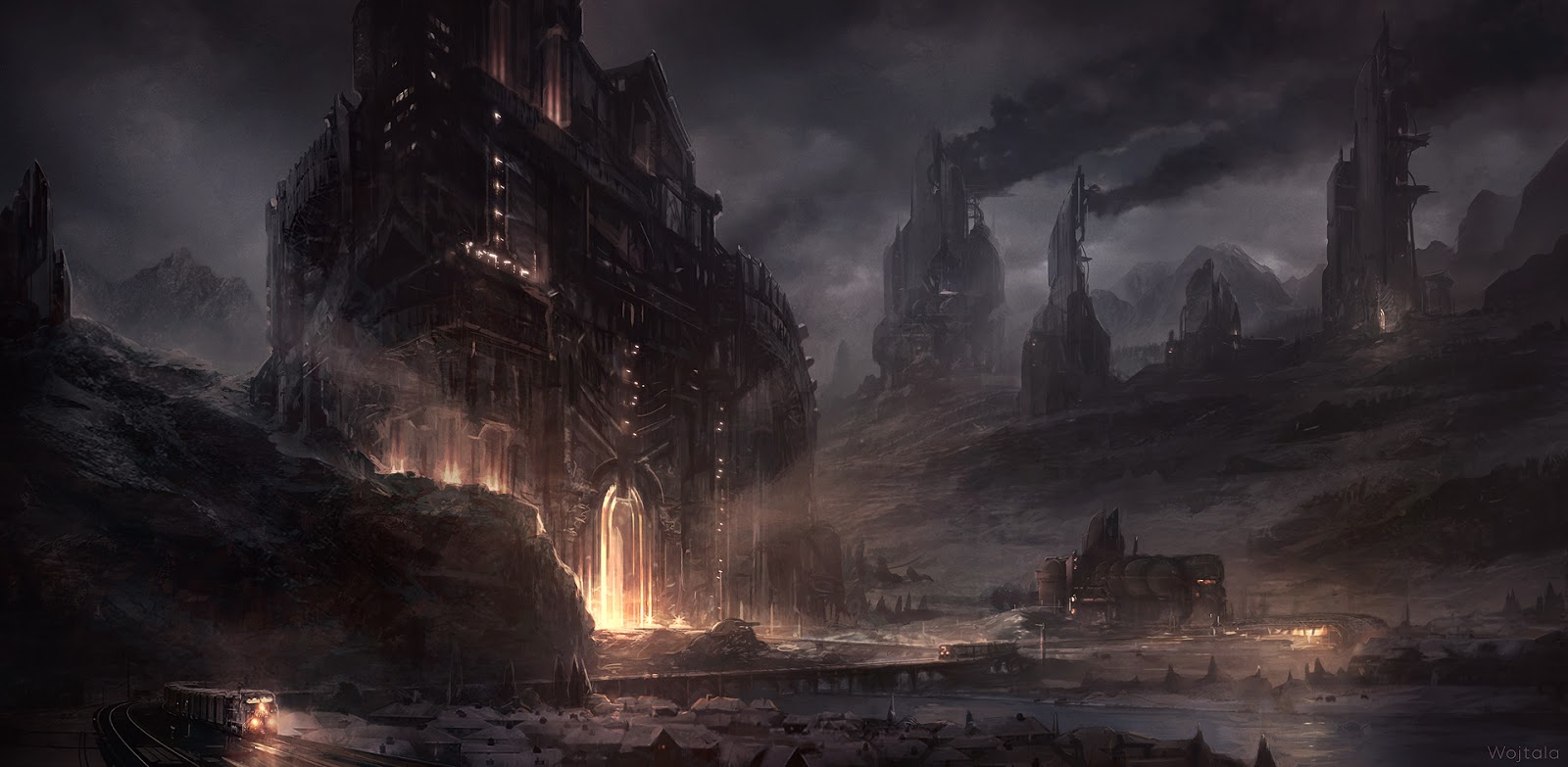
Evil Fortress - Tutorial

A few words more about Evil Fortress.

I wanted to paint a snowy environment. At that point I was doing a lot of 20-50 minutes sketches. The majestic fortress sketch was my favorite. You can see some arrows and lines - I was thinking about focal points and path leading your eye, I had a plan.


At this early phase I still add elements and modify composition when I see fit. I used a lot of custom brushes and photo textures. It was something I was training at that point in time. I liked the environment getting more dark and moody.


I did like composition and overall feeling but I felt I can put more love in colors. I did a few color balance iterations, but the brightest idea was painting quickly the changing snowy evening outside my window. It helped me a lot to get the colors right. Plain air can be very useful.


After that it was just simple rendering. I used few new custom brushes, just to learn something new. Also I ended up with overpainting most of photo textures but I did like that. At some point I just stopped painting this Evil Fortress and decided to show it to the world.
I hope you liked this step by step. More to come soon.
Peace!


Nov 9, 2015

Painting techniques - First steps - Fast Photoshop Setup (Brushes, Actions, Keys)

From time to time I will share my art knowledge and experience. I will divide it into sections - Technique / Mindset / Insight. Let us start with the technique. Follow me for more www.facebook.com/wojtala

I decided to start with my very beginnings, a Photoshop setup.
I used to paint with classical techniques, but at some point in late 2001 I started to paint with computer tablet. It had so many useful tools and options I was amazed. It reminded me of a Starcraft game, where learning keyboard shortcuts made you faster and helped a lot.  I created a Photoshop setup I still use and develop. It helps to get all I want from Photoshop very fast.

Keyboard - try to set it up so you can have a good flow and you don't need to click on any icon or menu. Try to remember all useful shortcuts. After a while it will be natural and fast. When needed, record and use Photoshop's actions. Here is my setting:

https://www.dropbox.com/s/obey17vhm3b4ceu/Wojtala%20Keyboard.kys?dl=0
https://www.dropbox.com/s/x46jpp8krw8nor5/Wojtala%20Actions.atn?dl=0

(install it in Photoshop's Keyboard Shortcuts Menu and Actions Window)

Brushes - I have a lot of brushes, some of them I do use a lot, some of them are for special occasions, most of them I still try to get to know better.

https://www.dropbox.com/s/x15r6mgnonrzt87/Wojtala%20Brushes.zip?dl=0


My pack of brushes is strongly based on what other concept artist have shared (thank you guys!):
Maciej Kuciara brushes (http://maciejkuciara.deviantart.com/art/Free-Brushes-2015-534474486)
Jonas De Ro brushes (http://jonasdero.deviantart.com/art/FREE-PHOTOSHOP-GIMP-BRUSHES-Explanation-348274576)
Shaddy Saffadi brushes (http://www.shaddyconceptart.com/download)
Dan Lu Visi brushes (http://danluvisiart.deviantart.com/art/My-Brush-Pack-2-0-370697141)
Paweł Świeżak brushes (https://www.facebook.com/profile.php?id=100003494336952)
Darek Zabrocki brushes (http://daroz.deviantart.com/art/FREE-PHOTOSHOP-BRUSHES-DAREK-ZABROCKI-BRUSH-SET-431393487)

Hope you like this few words, if something is unclear or wrong, feel
free to post me a message. Follow me for more www.facebook.com/wojtala

Cheers,

Oct 6, 2015

Witcher 3: Wild Hunt DLC - Hearts of Stone

Here is the cover of the new and awesome The Witcher 3: Hearts of Stone DLC. Cover created by the amazing CD Project RED team (http://en.cdprojektred.com/), Digic (http://www.digicpictures.com) and Bartłomiej Gaweł (https://www.behance.net/BartekGawel) . Still I am very appreciative I could also put a few small brush strokes on it. Play this stunning game!


Find out what there is to see and do in the first paid DLC for The Witcher 3.
The Witcher 3: Wild Hunt - Hearts of Stone Expansion Teaser

Jun 2, 2015

Flying Wild Hog retrofuturism

A few months ago I created some retrofuturistic concepts at Flying Wild Hog. The art depicted a vast space station with a unique art style. Here are a few concepts that were created.


May 26, 2015

Witcher 3 : Naglfar


"Many sketches and designs for the Naglfar were made. Early ones assumed this ship would fly through the air. In the end, however, the more subdued concepts which better fit the grounded feel of the witcher universe won out. The drawing above shows the final version of the Naglfar, the ghastly Hunt’s equally ghastly vessel."
from The Witcher 3 Wild Hunt Artbook

I had pleasure of designing the Wild Hunt Ship - Naglfar. The ship's design went through a long process before it reached its final shape. Gathering good references and 3D model was very helpful. Few words of explenation on my Facebook page : https://www.facebook.com/wojtala/posts/604899839657288


May 7, 2013

Spaceship Wreck Yard

I wanted to visualize the idea of an environment covered with old spaceship wrecks, being absorbed by nature and decaying for many years. Personal project.


- Spaceship Wreck Yard - its one of the popular themes for the environment concept and I wanted to create one of my own. I wanted it to be epic, beautiful and dangerous.
- Reference - I have spent few hours looking for inspirations, most of the wreck yards are dark and gloomy and not well defined. I wanted to create something opposite with nature, sun and lot of metal. I was strongly inspired by Uncharted series at that time.
- Sketches - soon I decided to make a vista piece, base my composition on few curves and layers of land and water. I sketched few ideas but eventually found the one I liked.
- Definition and colors - I used a few textures here and there, wanted to define as much as I can and create a coherent shape language,
- Detailing - I used a lot of custom brushes and a few more textures, I spent a lot of time defining everything, creating few color accents in important areas,
- Last touch - It's very important to be patient and develop it still even at the end. I had a lot of good feedback from my colleagues it helped a lot. I defined mountains more, made few areas less defined, made few areas less saturated and worked on color palette. Also I added a few bridges indicating human presence. At some point I just decided to stop.

It took a while but it was fun, I do liked detailing part a lot and I was glad with the finished piece. Hope you liked this step by step. More to come soon. Cheers!